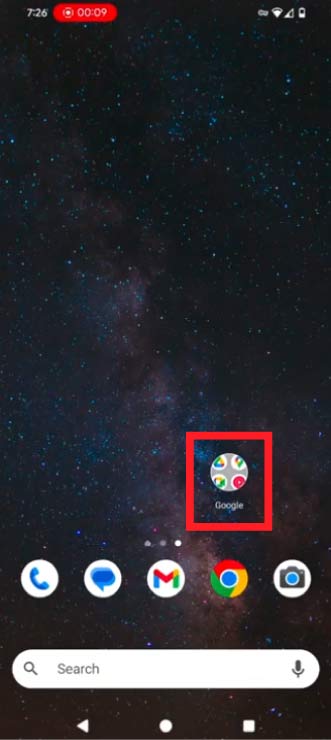
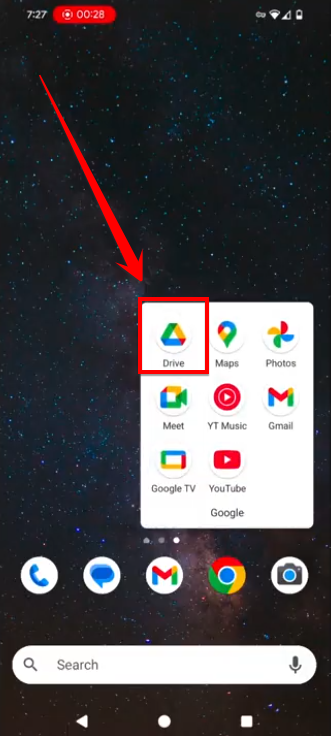
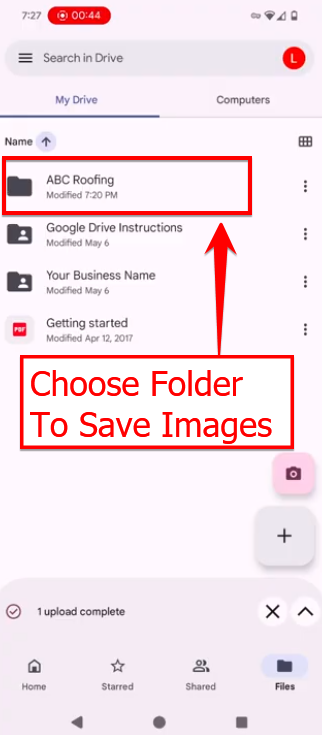
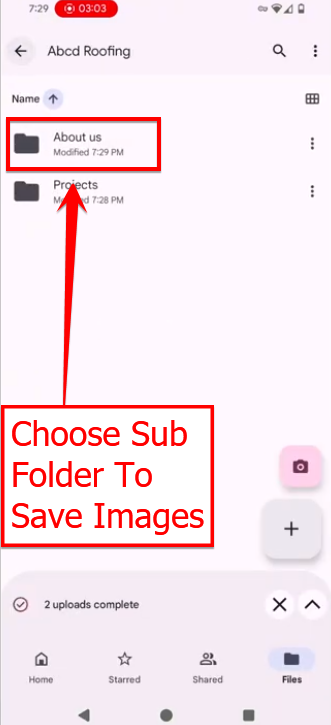
Make sure you are signed in to your Gmail account, and click on the Google Drive icon.
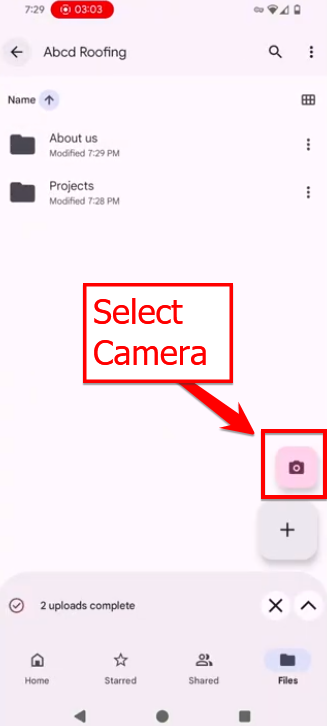
Take your picture
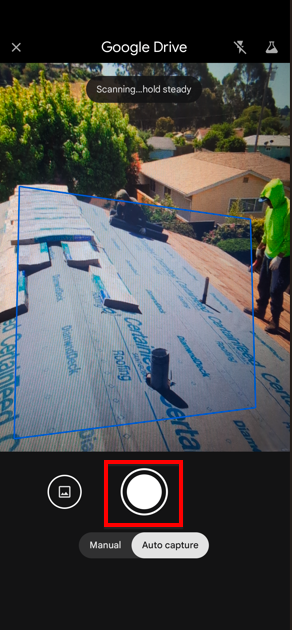
Select the image you want
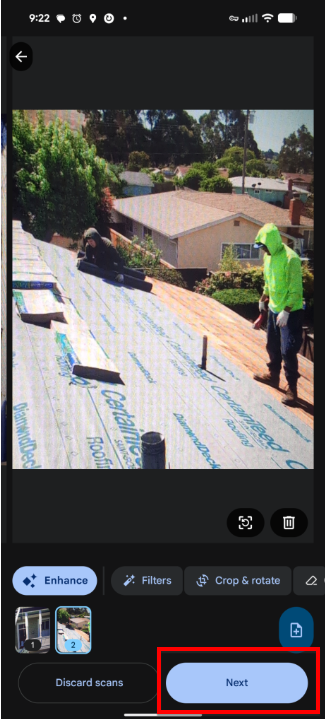
Always choose JPEG and select “Upload.”
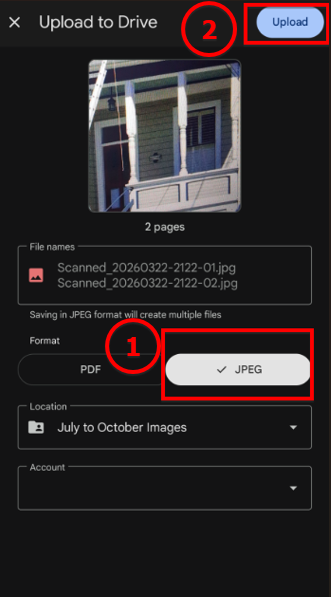

Make sure you are signed in to your Gmail account, and click on the Google Drive icon.
Take your picture
Select the image you want
Always choose JPEG and select “Upload.”